
Connect your bank accounts at account opening
When you first complete your onboarding with Shift, we ask you to connect your business bank accounts so we can review your transaction data and set your facility limit. This is a quick, secure connection you complete to retrieve your transaction data.
- Complete digital registration.
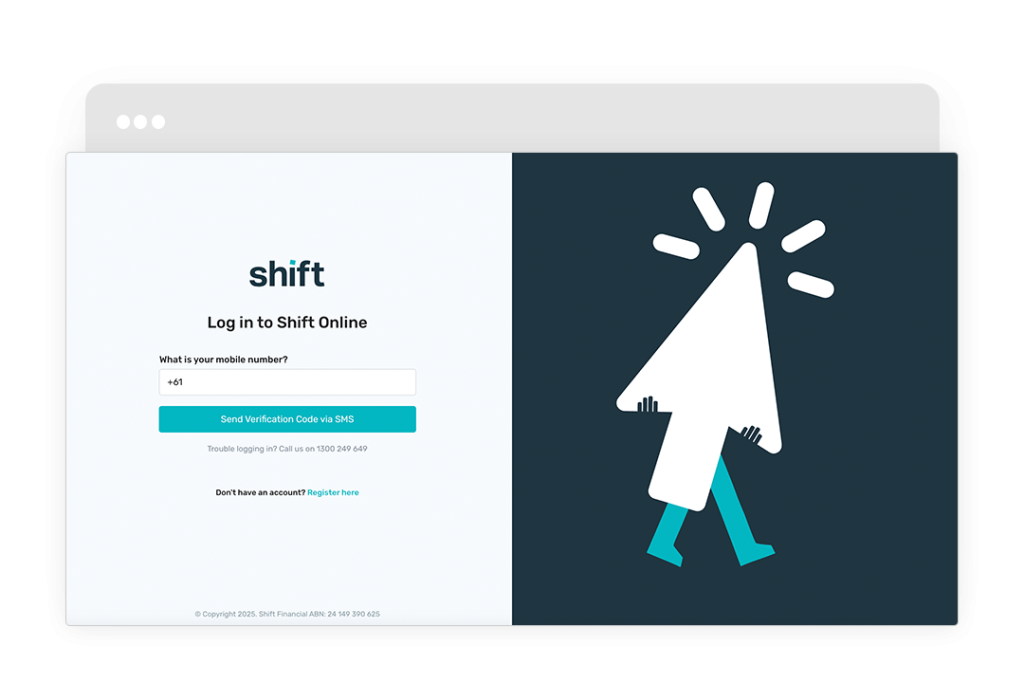
- Log in to Shift Online.
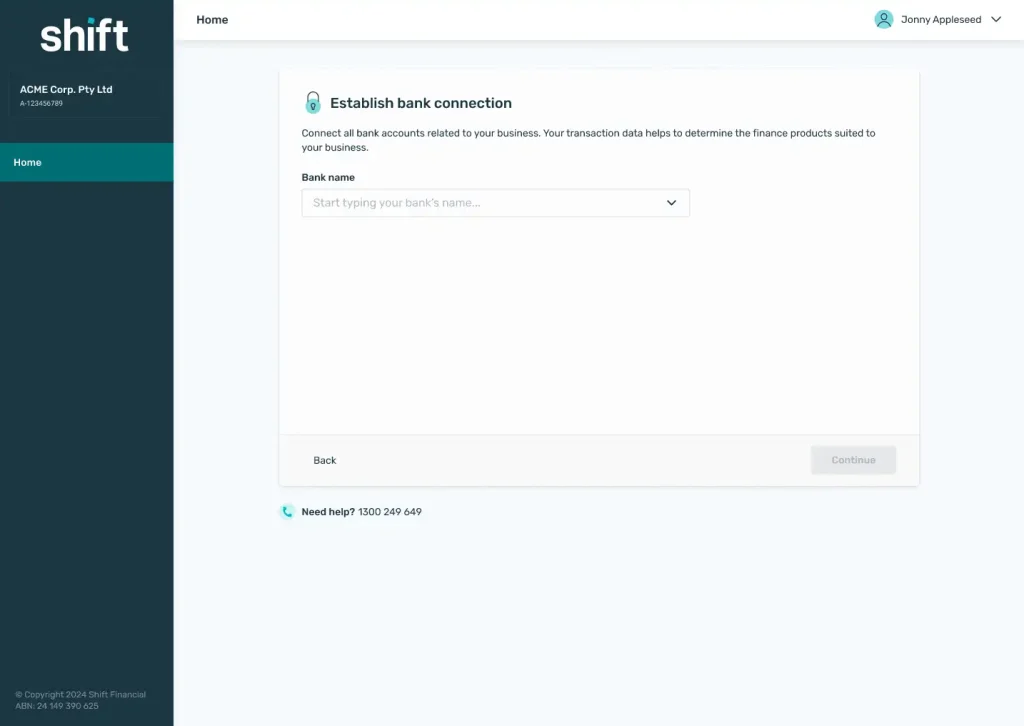
- On the bank connection step, start typing your bank’s name and select it from the list.
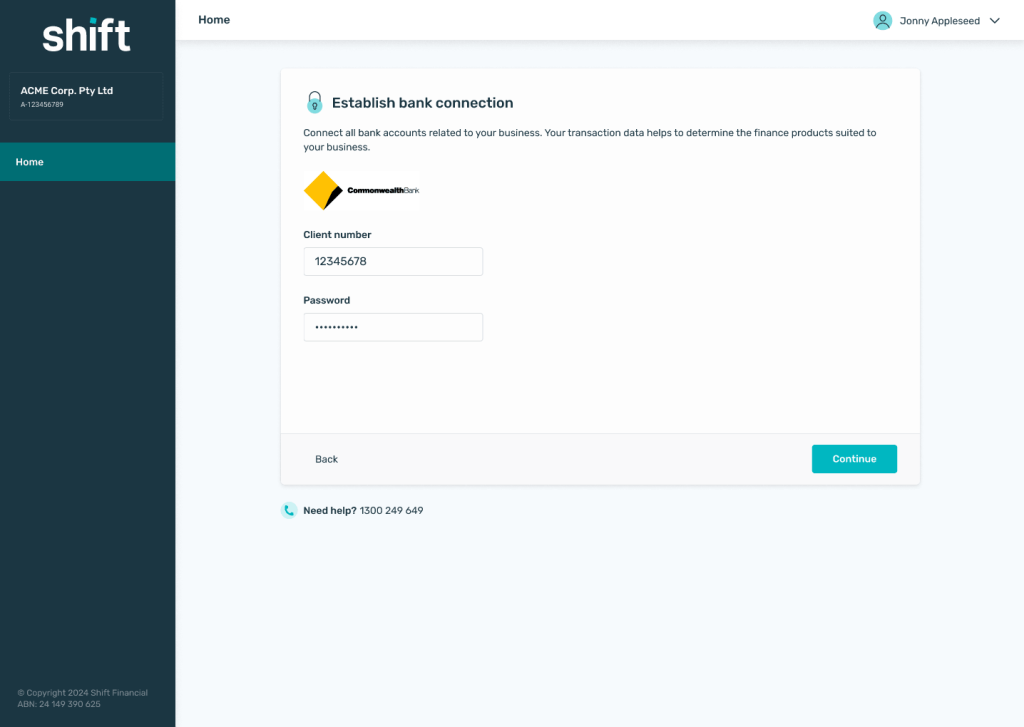
- Enter your online banking log-in details. These are passed securely to retrieve your transaction data.
- Once connected, select +Connect your bank account to another account or Done to finish.
Note: If a connection isn’t available for your bank, you’ll be asked to upload the last 6 months of PDF bank statements so we can still assess your business. You’ll need to include the first page which includes your account holder information and an account summary to verify your business.
Complete digital registration.
Log in to Shift Online.
On the bank connection step, start typing your bank’s name and select it from the list.
Enter your online banking log-in details. These are passed securely to retrieve your transaction data.
Once connected, select +Connect your bank account to another account or Done to finish.
Need assistance?
Our friendly team is here to assist you. Please contact us on 1300 249 649 from Monday to Friday (8:00am – 7:00pm AET) and Saturday (9:00am – 2:00pm AET) or email contact@shift.com.au.